
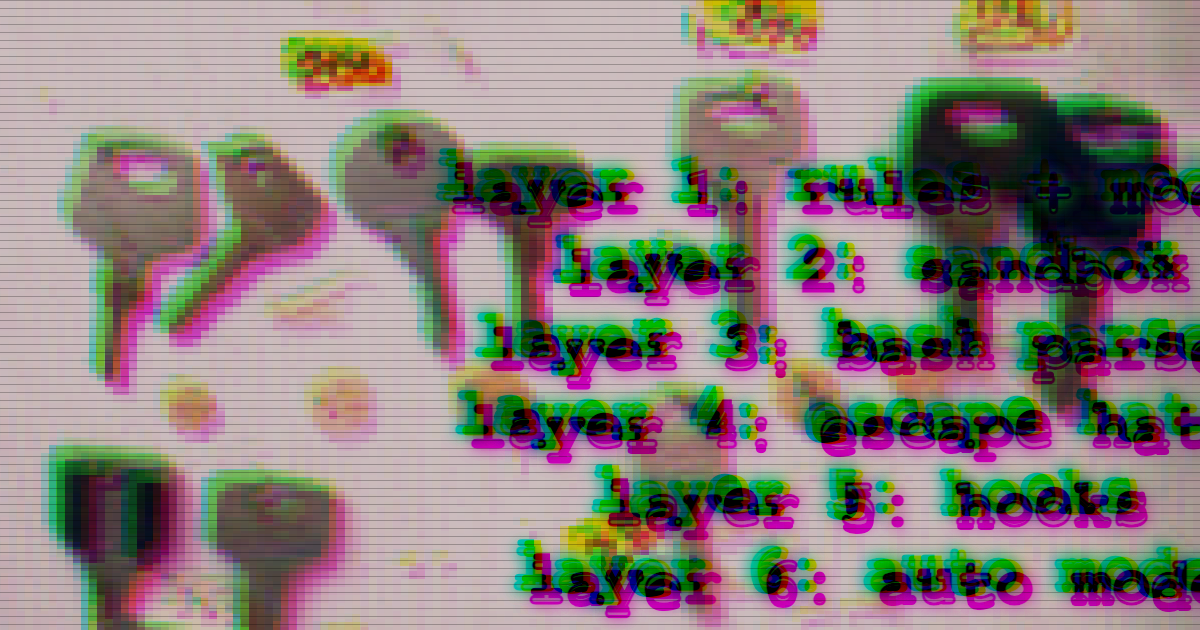


Anthropic says Claude Code users approve 93% of permission prompts. That number cuts two ways. It's the whole motivation for auto mode (if you're going to rubber-stamp, let an AI rubber-stamp on your behalf). It's also a quiet admission that a lot of readers think of the permission prompt as "the thing keeping Claude from doing something bad." Reader, it is not the thing. It is one of several things, and the prompt is the only one you see.
What I actually found, staring at this long enough to write a blog post about it: Claude Code's permission system is a stack. Rules, the sandbox, a Bash parser that trips on things you'd never suspect, an escape hatch the model sets itself, hooks, and an optional AI classifier called auto mode. Each layer catches different stuff. Some overlap. Some leak. By the end of this post, you'll know what each one does, where the holes are, and which combination of permission mode and sandbox setting gets you which layers.
Here's the rough shape:
   Claude wants to run a tool call
              │
              ▼
   ┌──────────────────────────────┐
   │  Layer 1: Rules + modes      │  matches on the parsed tool call
   └──────────────────────────────┘
              │
              ▼
   Bash + sandbox on + autoAllowBashIfSandboxed?
       │                      │
      yes                     no
       ▼                      │
   ┌──────────────────────┐   │
   │  Layer 3: Bash parser│   │
   │     simple?          │   │
   └──────────────────────┘   │
       │          │            │
     simple    too-complex    │
       │          │            │
       ▼          └──────┬─────┘
  auto-allow             ▼
  (silent)     ┌─────────────────────────┐
               │  Layer 5: Hooks          │
               │     (PreToolUse)         │
               └─────────────────────────┘
                         │
                         ▼
               ┌─────────────────────────┐
               │  Layer 6: Auto-mode      │
               │  classifier (if auto)    │
               └─────────────────────────┘
                         │
                         ▼
               Execute (wrapped by OS sandbox if on)
The diagram is a lie, or at least a simplification. Two layers don't show up as their own boxes. Layer 2, the sandbox, is the branch gate near the top (is autoAllow even eligible to run?) and the execute-time wrapper at the bottom (OS-level containment of the subprocess). Layer 4, the escape hatch, is what happens when the model sets a flag on a Bash call to skip Layer 2 for that call specifically. I've flattened a few things into neat arrows that are tangled in the real control flow. Treat it as a mental model, not a step debugger. If you read the code and it looks different, the code wins.
One more piece of honesty before we dig in. Everything here was tested on Claude Code 2.1.116 and 2.1.117, April 2026. Claude Code ships fast, so specifics may drift. Where a detail hinges on a version, I'll say so. If you're on a newer build and something contradicts what I describe, trust the build. Then drop me a note so I can update this.
Layer 1: The rules layer
If you've ever opened ~/.claude/settings.json to stop Claude from asking before every npm test, you've met this layer. It's the one most people think of as "the permissions." It's also the one that does the least if you don't pair it with the rest of the stack.
A rule is a string. Three arrays hold them: allow lets the tool call through silently, ask prompts you, deny blocks. The shape is Tool (matches any use of that tool) or Tool(specifier) (matches a specific pattern). Bash(npm run build) matches that exact command. Bash(npm run *) matches anything that starts with it. Read(~/.ssh/**) uses gitignore-style globs. Within a single file, rules evaluate in one order: deny first, then ask, then allow. First match wins, deny always wins.
Rules can live in four places. From lowest to highest precedence:
- User settings (
~/.claude/settings.json) - Shared project settings (
.claude/settings.json) - Local project settings (
.claude/settings.local.json, gitignored by default) - Managed settings (
managed-settings.json, set by an admin, can't be overridden)
Higher scopes win, with one asymmetry worth remembering: deny is sticky. If a tool is denied at any level, no scope below can allow it back in. Useful when an admin wants to lock something down; annoying when you forgot why you denied Bash(rm *) six months ago and suddenly nothing works.
Permission modes sit next to rules and shape how the whole thing behaves:
default: prompts on first use of each toolacceptEdits: auto-accepts file edits and common filesystem commands likemkdirandtouchplan: read-only research modebypassPermissions: skips most prompts (writes to.gitand friends still prompt)auto: engages a background classifier, which we'll come back to in Layer 6
A useful way to read modes is as "default rules." acceptEdits behaves as if Edit and the common filesystem Bash commands were in your allow list; plan behaves as if every write tool were in your deny list. This is a framing, not an implementation detail. The modes do different things under the hood, but predicting behavior goes faster if you picture them as rules that came pre-installed.
Here's the part that catches people. Rules fire on the tool call, not on what the tool call goes on to do. Claude Code parses the command string and matches against that. When Bash runs bundle install, the rule layer sees bundle install. It can't see what bundle itself shells out to. That's architecturally necessary (you'd need to instrument every subprocess to do otherwise), but it means Bash rules are a surface-level filter, not a deep policy boundary. A denied Bash(curl *) rule doesn't stop a Makefile target from running curl. Pattern matching ends where the subprocess begins.
Same Edit call, same allow: [Read, Write] (note: no Edit), two different modes:
- In
defaultmode, the Edit prompts. The allow list doesn't cover it, so Claude asks. - In
acceptEditsmode, the same Edit goes through silent.
No rules changed. The mode moved the line.
That's Layer 1. Strings, scopes, and a mode. It catches a lot. It also has two big holes: it doesn't contain what a Bash subprocess does once it starts running, and it works at the command-string layer, not at the OS boundary. Both holes are what the next layer is trying to plug.
Layer 2: The sandbox
The next layer lives at the OS boundary, which is exactly where Layer 1 ran out of runway. Turn sandbox.enabled on and Bash commands stop running as plain child processes. On macOS they run under sandbox-exec, the userland front-end to Apple's seatbelt. On Linux, bubblewrap (bwrap). Both give you the same deal: a deny-default profile saying which paths can be written, which sockets can be opened, which domains the network proxy will forward. Anything outside the profile fails at the kernel with "operation not permitted." The rules layer filters command strings. This layer filters syscalls.
That is the part of the sandbox everybody pictures. The hands-on config lives in an earlier post. Here's the part that surprised me.
The sandbox wraps Bash subprocesses. It does not wrap the Claude Code process itself. That matters because half of what Claude does with your filesystem never goes through Bash. The Write, Read, and Edit tools run in-process: Node.js calling fs.writeFile, no subprocess, no seatbelt, no bubblewrap. Whatever you put in filesystem.allowWrite applies to anything Bash spawns. It does not apply to the Write tool. Same kernel, same filesystem, different enforcement path.
I ran a test to be sure I wasn't imagining it. Config: sandbox.enabled: true, filesystem.allowWrite: ["/tmp/sandbox-test"]. Then two tool calls at the same path, /tmp/sandbox-leak-*.txt, which is outside allowWrite. The Write tool: success, silent, file on disk. Bash attempting the same kind of write: fails, "operation not permitted." Same config, same filesystem target, opposite outcomes. The sandbox holds Bash to its promise. It has nothing to say about the native tools.
This is not a bug, and it is not exactly news to anyone who has read the docs closely. It is just easy to miss. If you tighten allowWrite thinking you've walled off a directory, you've walled it off from Bash. Claude can still drop a file there via Write.
On to the setting that makes the sandbox worth turning on for daily use: autoAllowBashIfSandboxed. The deal is short. If the sandbox is on, and the command looks safe, skip the permission prompt. Run it silently, inside the sandbox, and let the OS be the backstop. The payoff is real: fewer prompts, same containment. The catch is the word "safe." Who decides? That is Layer 3, and the decision is more opinionated than you'd guess.
When the pieces line up, it looks like this. Sandbox on, autoAllowBashIfSandboxed on, the npm cache directories in filesystem.allowWrite, the default allowed domains covering registry.npmjs.org. Run npx --yes cowsay@1.6.0 "sandbox test". The ASCII cow prints. No prompt, no retry, no sidecar intervention. The package installs, the binary runs, nothing writes outside the allowlist, and every hop is the OS saying yes because the sandbox profile was already open for it. A working happy path is an underrated thing to see on purpose.
So: sandbox catches what rules can't, because it catches at the kernel instead of the command string. It has a specific blind spot (the native tools) that matters if you're thinking of allowWrite as a fence. And the quiet win, autoAllowBashIfSandboxed, hands the "is this safe?" decision to a parser. Which brings us to the parser.
Layer 3: The Bash parser
Here's why commands that look innocent still prompt.
The parser is a tree-sitter AST walker deep in the bowels of the claude binary. It takes a Bash command string, builds a syntax tree, walks it, and returns one of three verdicts: simple, too-complex, or newline-hash. Only simple wins the silent auto-allow. The other two fall through to the normal prompt path.
One detail worth getting right up front: this parser only runs inside the autoAllowBashIfSandboxed path. It's not a universal preprocessor. The rules layer uses its own simpler string matching. The parser is specifically the gate that decides whether the sandbox's "safe commands run silent" payoff applies to a given command. When people ask "why is Claude prompting me for a command I allow-listed?", the parser is usually the answer: the rule allowed it, the parser bailed, the auto-allow path never fired.
The list of things that make the parser bail is more opinionated than you'd guess. Receipts for each of these come from one test run on Claude Code 2.1.116.
echo $HOMEprompts. Bare$VARhits thesimple_expansionbail.echo "$HOME"prompts. A double-quoted string whose only child is a variable returns "Unhandled node type: string."echo {1..5}prompts. Brace expansion bails.echo $(whoami)prompts. Command substitution bails (backticks do too).
Commands that get through: touch /tmp/sandbox-test/foo && echo done (compound, all children safe, silent). echo hello | grep hello (pipeline, all children safe, silent). The parser is fine with structure. It bails on specific argument patterns that could smuggle something past static analysis.
Now the weird one. echo "$HOME" prompts. echo "item $HOME" runs silent. Same variable, same quoting, one character of prefix text flips the verdict. The reason sits in the tree-sitter grammar: a double-quoted string containing only a simple_expansion is one kind of AST node, and a string with string_content next to an expansion is a different one. The parser handles the second. It doesn't handle the first. Wild, worth knowing. If a command prompts for no reason you can see, try anchoring the variable with literal text.
This is also why Python, Ruby, and Node inline -c scripts almost always prompt. Inline code tends to contain # comments, newlines, bare $variables, and quoted strings that happen to be variable-only. Any one of those lands on the bail list.
Which brings us to the last classification. newline-hash fires when an argument contains a newline followed by optional whitespace and a #. The reason: a # after a newline could act as a shell comment and hide subsequent arguments from path validation. Concrete example:
python3 -c '
# comment at line start
x = 42
print(x)
'
That command gets a permission prompt with this exact warning text: "Newline followed by # inside a quoted argument can hide arguments from path validation."
The takeaway from all of this: the auto-allow path is more conservative than you'd guess. That's probably the right default for a model that runs arbitrary commands. Just don't expect every obviously-safe command to sail through silently. A lot of them trip the parser on details the user can't see.
Layer 4: The escape hatch
Sometimes the parser isn't in the way. The sandbox is. Installing a global CLI, writing to ~/Library/Preferences, tweaking macOS defaults: legitimate asks, none of them fit inside a sandbox profile tuned for "don't let subprocesses wander." Claude Code's answer is a flag the model can set on a Bash call: dangerouslyDisableSandbox: true. When it's set, that specific command runs outside the sandbox.
The important word is "model." This isn't a client heuristic or retry logic baked into the CLI. The flag lives on the Bash tool call, and only the model sets it, following instructions in its system prompt. I confirmed it still works that way on 2.1.116.
There are two legit paths:
- Natural retry. Claude runs a command, the sandbox blocks it with "operation not permitted," and the model recognizes the shape and retries with the flag on. I saw this with
defaults write ~/Library/Preferences/com.escape-hatch-test-probe.plist: two consecutivePreToolUseevents, first with the flag off, then with it on. - Explicit ask. You tell Claude "install this with sandbox disabled," and it sets the flag on the first attempt.
Both are fine. The concern is what happens in between. The model sometimes sets the flag preemptively, before any failure, based on its own read of the situation. That's why this layer is worth knowing about. An escape hatch the model controls is not the same as an escape hatch you control.
Which brings me to a workaround from @GMNGeoffrey. Add "Bash" (bare, no specifier) to permissions.ask. That rule doesn't fire for sandboxed commands, so your auto-allow flow stays quiet. It does fire the moment Claude sets dangerouslyDisableSandbox, because an unsandboxed Bash call is exactly what the rule catches. You get prompted, you see what Claude wants to escalate, you decide. Surgical. Worth copying into your settings.
That's the escape hatch. Two layers left. Next up is the one you program yourself.
Layer 5: Hooks
The one you program yourself.
The rules layer matches strings. That's most of its job and most of its limits. The moment you want a decision that depends on anything beyond a glob (who the user is, what time it is, whether the diff touches a file another service cares about), strings run out of room. Hooks run programs. Claude Code invokes them at key events, hands the program a JSON payload on stdin, and reads whatever it decides back. When the decision needs logic, hooks are where the logic goes.
The main one for permissions is PreToolUse. It fires after Claude assembles the tool call and before the tool runs. A hook can exit 0 with a hookSpecificOutput.permissionDecision of "allow", "deny", "ask", or "defer", or it can exit 2 to block with a message that goes back to the model. Deny means the call doesn't happen. No prompt, no retry. If multiple PreToolUse hooks disagree, deny wins.
There's also PermissionRequest, which fires when Claude Code is about to show you a permission dialog: a hook here can auto-answer on your behalf. I didn't push on it in testing, so I'll leave it there and point you at the docs.
Now the footgun. A hook is only as good as its match logic. I set up a PreToolUse hook that blocked any Bash command matching ^curl and ran two probes. First, curl -s https://api.github.com/zen. Blocked, with this exact error reaching Claude: "Blocked by policy hook: command matches HOOK_BLOCK_PATTERN." Working as intended. Second, /usr/bin/curl -sI https://example.com. Silent success. Same binary, same call, different string. ^curl doesn't match /usr/bin/curl because ^ anchors the start. The hook fired, looked at the command, shrugged, let it through.
This isn't a Claude Code bug, it's how regex works. Worth belaboring because the failure mode is easy to miss: your hook looks right, denies the obvious case, and something that should've been denied shows up in your logs three months later. If you're writing a deny-list, anchor against the command shape you'll actually see ((^|/)curl($|\s)), not the name you hope people will type. Or flip it and allow-list. Either way, the moment the parser in your head disagrees with the parser in the shell, you have a hole.
One methodology note. Everything in this post that cites a receipt has one because Claude Code emits a PreToolUse event for every tool call, and the test harness was listening. Hooks aren't just the programmable policy layer, they're the reason this article has receipts at all.
Layer 6: Auto mode
93% of permission prompts get rubber-stamped. So what if an AI did the rubber-stamping instead? That's the pitch for auto mode, and it's a real pitch. If you're going to approve almost everything anyway, handing the boring cases to a classifier means you only get interrupted on the interesting ones.
The classifier is Sonnet 4.6, running a two-stage pipeline. Stage one is a fast single-token filter: yes-block or no-allow. Stage two is chain-of-thought reasoning, but it only runs if stage one flagged the action. The whole thing is reasoning-blind by design, meaning it sees the user's messages and the tool calls Claude wants to make, but not Claude's own assistant output or tool outputs. The classifier can't be talked into approving something by the model it's supervising. That's the point.
The numbers Anthropic publishes in their auto-mode post are good. Stage one false positive rate is 8.5%, which the full two-stage pipeline drops to 0.4%. False negative rate on real overeager actions is 17%. Read that last one carefully. One in six unsafe actions slips through the classifier. The other layers in the stack are doing work behind it.
Defaults block the obvious bad stuff: curl | bash, force-pushing to main, production deploys, mass deletion of cloud storage, disabling logging, installing persistence. On entry, auto mode also strips permission rules that would short-circuit the classifier: blanket Bash(*), wildcarded interpreter patterns (python, node, ruby), package-manager run commands. Per Anthropic's documentation, those rules come back when you exit auto mode.
Now the part I actually found interesting. I ran two commands under auto mode to see where the classifier adds value. echo "generated" > $(pwd)/output.txt ran silent. The parser would've bailed on the command substitution in the redirect target; the classifier looked at it, decided a local file write with a bare $(pwd) is fine, and let it through. That's the single command in my test set where auto mode did something the parser couldn't. echo $(whoami), same run, same mode: prompted. The classifier punts on bare $(...) in arguments. Credential-adjacent enough to be worth asking about.
Which is the counterintuitive punchline. For Bash, autoAllowBashIfSandboxed does more work than auto mode. The parser auto-allows a lot of structurally simple commands; the classifier is conservative, so most parser-flagged commands still prompt even with auto mode on. Auto mode's real payoff is on non-Bash tool calls (edits, reads, the stuff you'd otherwise approve without reading).
Anthropic's own recommendation: run auto mode in isolated environments, not as a drop-in for careful review on high-stakes infrastructure. Same here.
Reference matrix
Here's a reference you can bookmark. Rows are commands (with the config they were tested under); columns are permission modes. Each cell is the outcome, with a superscript pointing at the layer that made the call.
| # | Command | default | acceptEdits | plan | auto | bypassPermissions |
|---|---|---|---|---|---|---|
| 1 | Edit /tmp/sandbox-test/edit-target.txt (allow: [Read, Write]) |
prompt¹ | silent¹ | blocked¹ (inferred) | silent¹ (inferred) | silent¹ (inferred) |
| 2 | npx --yes cowsay@1.6.0 "sandbox test" (sandbox on, autoAllow on, npm dirs in allowWrite) |
silent³ | silent³ (inferred) | blocked¹ (inferred) | silent³ (inferred) | silent¹ (inferred) |
| 3 | echo $HOME |
prompt³ | prompt³ (inferred) | blocked¹ (inferred) | prompt⁶ (inferred) | silent¹ (inferred) |
| 4 | echo "item $HOME" |
silent³ | silent³ (inferred) | blocked¹ (inferred) | silent³ (inferred) | silent¹ (inferred) |
| 5 | python3 -c '# comment\nx = 42\nprint(x)\n' |
prompt³ | prompt³ (inferred) | blocked¹ (inferred) | prompt⁶ (inferred) | silent¹ (inferred) |
| 6 | defaults write ~/Library/Preferences/... (outside allowWrite) |
prompt⁴ | prompt⁴ (inferred) | blocked¹ (inferred) | prompt⁴ (inferred) | silent¹ (inferred) |
| 7 | echo "generated" > $(pwd)/output.txt |
prompt³ | prompt³ (inferred) | blocked¹ (inferred) | silent⁶ | silent¹ (inferred) |
| 8 | curl -s https://api.github.com/zen (PreToolUse hook denies ^curl) |
blocked⁵ | blocked⁵ (inferred) | blocked⁵ (inferred) | blocked⁵ (inferred) | blocked⁵ (inferred) |
Footnotes:
- ¹ Layer 1 (rules + mode). Bypass skips the prompt; hooks and deny rules still bite.
- ² Layer 2 (sandbox wrapper). Not shown as a cell verdict because it wraps every sandboxed Bash call regardless of mode.
- ³ Layer 3 (Bash parser inside
autoAllowBashIfSandboxed). - ⁴ Layer 4 (escape hatch: sandboxed attempt fails, model retries with
dangerouslyDisableSandbox, which prompts). - ⁵ Layer 5 (hooks). A PreToolUse deny beats every mode, including bypass.
- ⁶ Layer 6 (auto-mode classifier).
Cells marked (inferred) are reasoned from the layer's behavior and receipts for adjacent cells, not tested directly. A future harness run could promote them.
Tested on Claude Code 2.1.116 and 2.1.117, with autoAllowBashIfSandboxed enabled and no custom permission rules unless noted. Your config can change any of these.
How to choose
Two decisions, not one. Pick a permission mode. Pick a sandbox posture. They compose, and neither one replaces the other.
Modes. Five to choose from:
default. The "ask me about each new thing once" mode. Good for fresh projects or when you want to see what Claude wants to run before you bless it.acceptEdits. The daily driver for most people: edits and common filesystem commands go silent, everything else still asks.plan. Read-only research: no writes, no edits, no Bash side effects. Reach for it when you want Claude to look at a codebase and explain, not touch.auto. Hands the boring approvals to the Sonnet 4.6 classifier. Anthropic's own recommendation is to run it in isolated environments (devcontainers, throwaway VMs), not on your daily-driver machine.bypassPermissions. Skips almost all prompts. I wouldn't run it on a machine I care about. That's a stance, not a fact, but it's the one I keep coming back to.
Sandbox. Three postures:
- Off. No OS containment. Rules and hooks do all the work, everything Bash runs touches your real filesystem and real network. Fine for a throwaway VM, risky on your laptop.
- On without
autoAllowBashIfSandboxed. The sandbox wraps every Bash call, but you still see prompts for most commands. Safer, more friction. - On with
autoAllowBashIfSandboxed. The sandbox wraps every Bash call, and commands the parser classifies as simple run silent inside it. This is the combination that feels like working without sandboxing while actually being sandboxed, and it's what I run.
Here's the part to sit with. These layers manage friction, not security. They keep Claude from doing annoying things by accident, and keep you from rubber-stamping yourself into a corner. If someone has your Claude Code session, they have your shell. The sandbox raises the floor for the subprocess case; it doesn't turn your laptop into a hardened workstation. Rules, hooks, auto mode: same deal. They shape what Claude is likely to do. They don't make your machine safe from someone already running code on it.
If you want a deeper dive on just the sandbox layer, my earlier take walks through the config I landed on. It's narrower than this post (sandbox only, no parser, no classifier) but it's the right place to start if "turn this on" is where you are.
My current setup, for the curious: acceptEdits, sandbox on, autoAllowBashIfSandboxed on, Bash in permissions.ask to catch escape-hatch calls, a few project-specific allow rules for the stuff I run twenty times a day. Not a recommendation. A data point. You'll find your own.
Methodology
Here's how I got the receipts. Most of what this post says comes from a local test harness I run: isolated Claude Code environments with different sandbox and permission configs, every tool call recorded via PreToolUse hooks. The harness is built on CLAUDE_CONFIG_DIR, which I wrote about earlier. Auto-mode internals (classifier architecture, the metrics, the default block list) are cited from Anthropic's engineering post. A few specifics that aren't in the docs, like how autoAllowBashIfSandboxed short-circuits ask rules and the Bash parser's bail conditions, I pulled from the v2.1.x binary and confirmed against harness runs. Versions tested: Claude Code 2.1.116 and 2.1.117, April 2026.
The receipts themselves are published at github.com/technicalpickles/claude-permissions-layer-receipts: config, prompt, and hook event log for each one I cited, one per article section. If you're on a newer build and something contradicts what I described, a PR with a fresh run is the fastest way to update this.